
Table of Contents
- Dashboard Overview
- Platform Usage
- Device Usage
- Content Engagement
- Confidence Feedback
- Pathway Engagement
- Class Engagement
- Exporting Data
Dashboard Overview
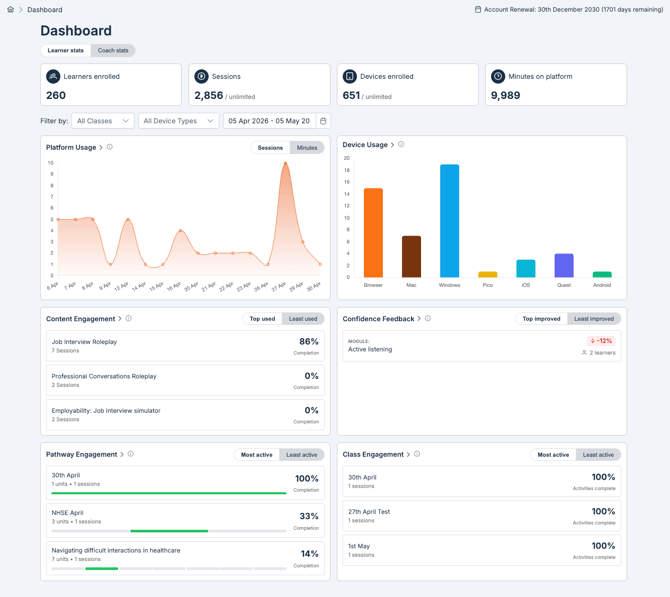
Updates to the Dashboard give you a snapshot of learner and coach activity across your organisation.
Use the filters at the top of the page to narrow data by:
- Class
- Device type
- Date range
Learner Stats includes:
- Learners enrolled
- Number of sessions
- Devices enrolled
- Minutes on platform
Coach Stats includes:
- Coaches enrolled
- Pathways created
- Roleplays created
- Modules assigned
Click any of the graphs to open the corresponding detailed Report. See the Reports sections below for full detail on each.
Platform Usage
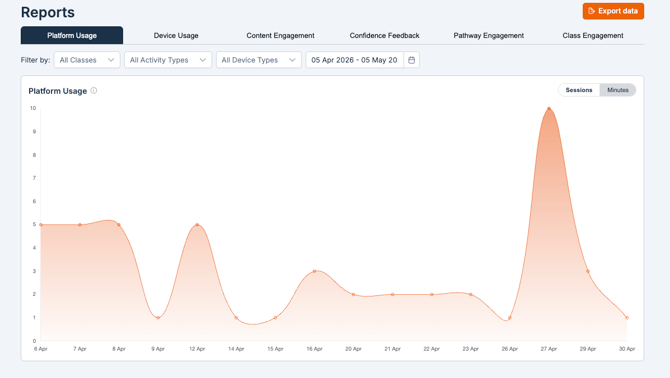
Get a high-level overview of user activity across your organisation. Filter by:
- Class
- Activity type: Exercise, Module, or Roleplay
- Device type
- Date: select a specific date range
Device Usage
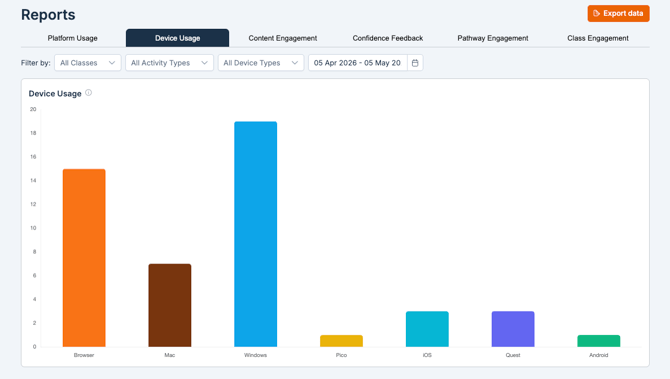
See how learners are accessing Bodyswaps, broken down by device. Filter by:
- Class
- Activity type: Exercise, Module, Roleplay
- Device type
- Date: select a specific date range
Content Engagement
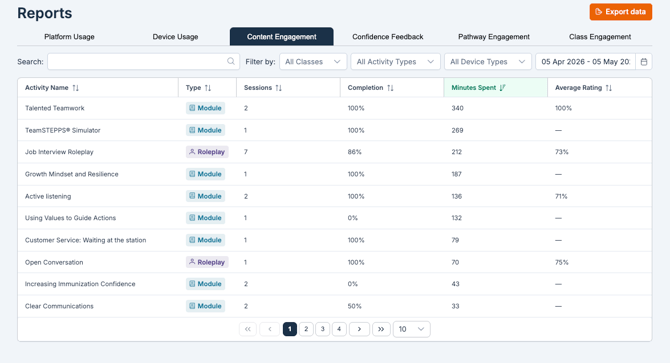
Track how learners are interacting with your content. For each activity you can see:
- Sessions: Number of times the activity was completed
- Completion percentage: Percentage of the learners assigned the activity completed it.
- Minutes spent: Total time spent on the activity
- Average rating: The average percentage of learners who would recommend it
Filter by:
- Class
- Activity type: Exercise, Module, Roleplay
- Device type
- Date: select a specific date range
Confidence Feedback
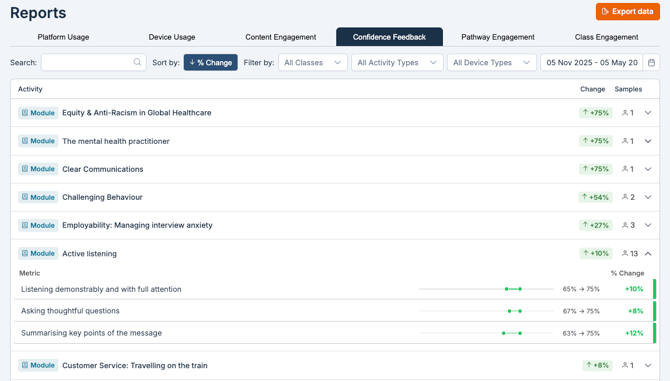
See how learner confidence shifts from pre- to post-survey. The dashboard displays the average percentage change across modules.
Select the down arrow on any individual module to view detailed results for each confidence-based question.
Pathway Engagement
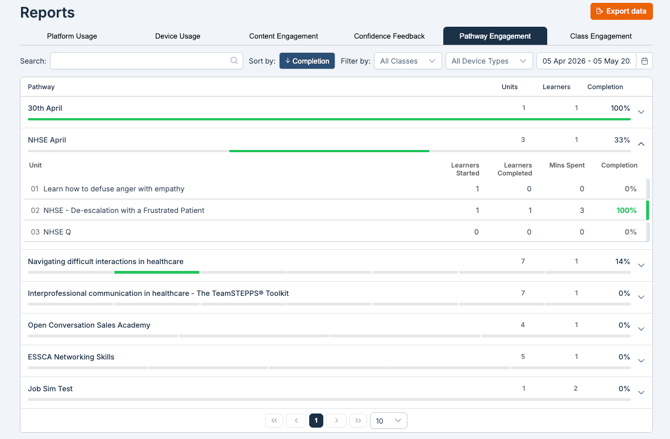
Monitor usage across your Pathways. Select any Pathway to expand unit-level detail, including:
- Learners started: Number of learners who started the unit in the pathway
- Learners completed: Number of learners who completed the unit in the pathway
- Minutes spent: Total number of minutes learners spent in the unit within the pathway
- Completion percentage: Percentage of learners who completed the unit in the pathway
Filter by:
- Class
- Device type
Class Engagement
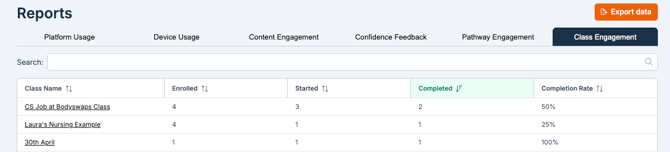
View performance at the class level, including:
- Number of users enrolled
- Users who have started
- Users who have completed
- Completion rate
Exporting Your Data
Once you've found the data you need, click the orange Export Data button in the top right corner to download it.