
🧪 Beta feature: Roleplay Insights is currently in beta testing. Access is based on account status.
What are Roleplay Insights?
Roleplay Insights give you a quick way to see which assessment criteria learners are struggling with across their AI Roleplay engagements — without having to review each learner's conversation individually.
This feature applies to all roleplay templates.
Where to find Roleplay Insights
Roleplay Insights are accessible from three places, each showing a different scope of data:
- Insights > Roleplay (admins only) — insights across all classes
- Class > Roleplay Insights (coaches for that class, or admins) — insights for a specific class
- User > [learner name] > Roleplay Insights (admins only) — insights for a specific learner
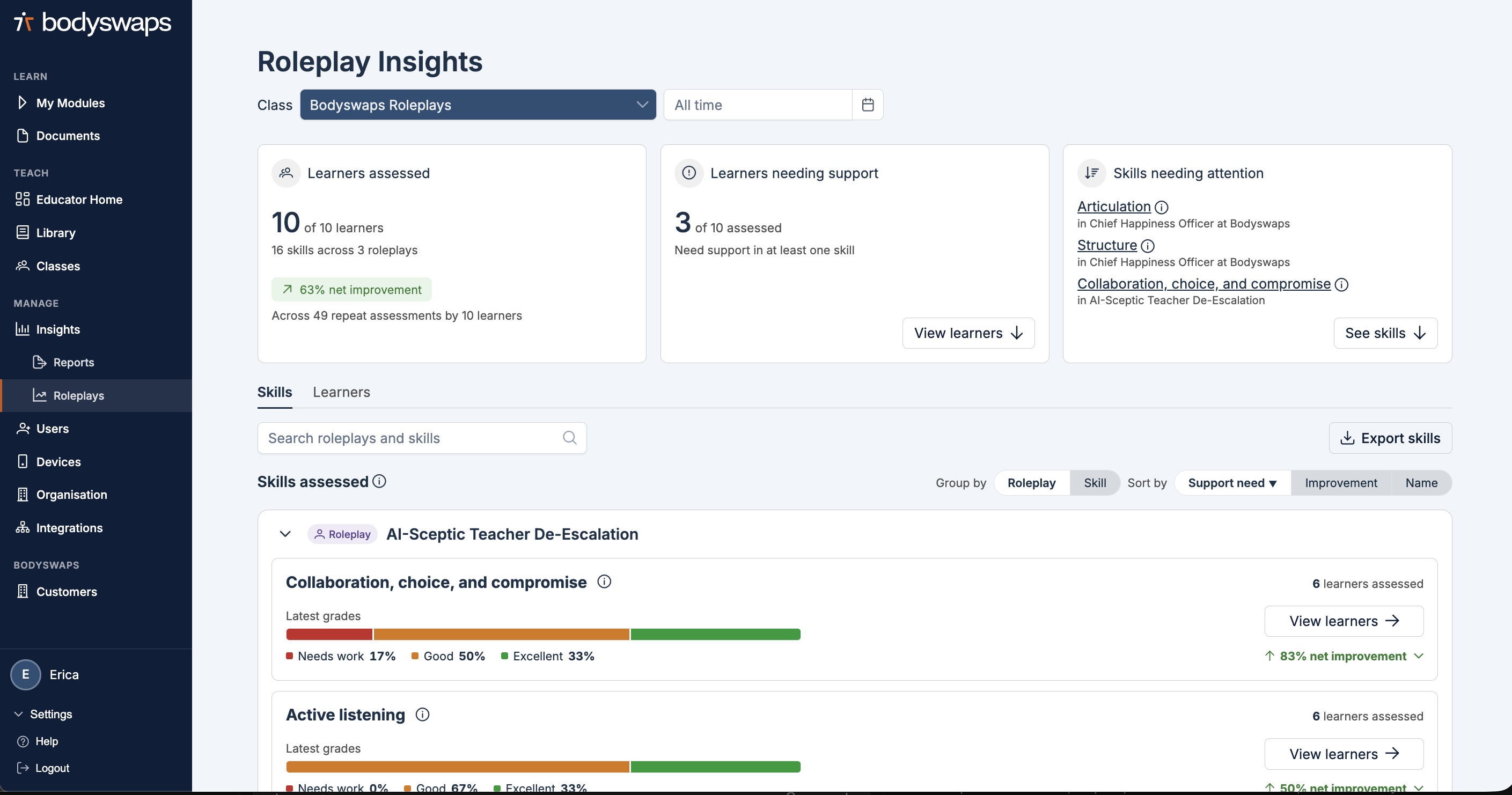
What you can see
At the class and organisation level, Roleplay Insights show:
- The number of learners assessed
- The number of learners needing support — i.e. learners who scored "needs work" on at least one assessment criterion
- The top three skills (assessment criteria) where most learners need support
For each skill, you'll see a visual breakdown of the percentage of learners who scored:
- Needs work
- Good
- Excellent
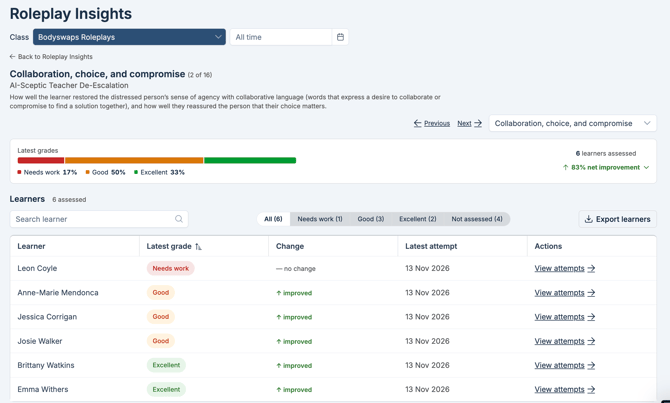
Viewing individual learner performance
Navigate to a User, select Roleplay Insights, choose the cooresponding class. 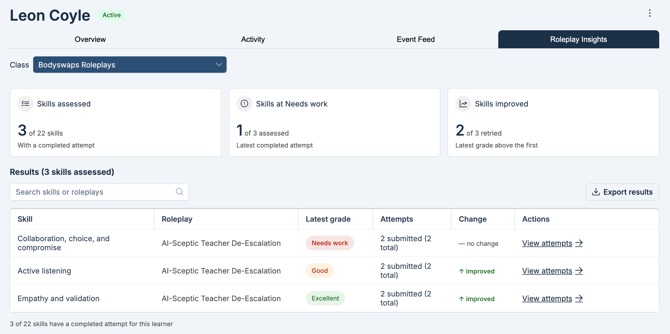
Exporting insights
Select Export to download a .xlsx file containing the breakdown. This can be done from the Users page, Class, or Roleplay Insights.