
What happens when you click the link or scan the QR code
If your facilitator has shared a self-enrollment link or a QR code, this is the fastest way to join a class — you don't need to wait for an invitation email first.
- Click the enrollment link, or scan the QR code with your phone's camera.
- This opens the class enrollment form in your browser.
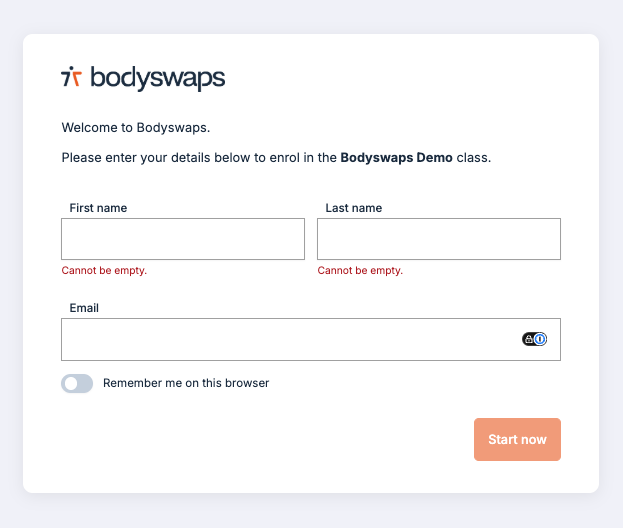
Filling in the enrollment form
You'll be asked for three pieces of information:
- First Name
- Last Name
⚠️ Double-check your email address before submitting. Your certificates and reports are sent to whatever address you type here — if it's misspelled, you may not receive them, and your facilitator may not be able to match your results to you.
What happens after you submit
Once you submit the form, one of two things happens, depending on how your facilitator has set up the class:
- No email verification required: You're redirected straight to the code generator page, where you can get the code needed to start your roleplay. See Browser or App Access for what to do next.
- Email verification required: You will not be redirected automatically. Instead, check your inbox for a class invitation email and use the link inside it to continue.
Either way, you'll also receive a class invitation email regardless of which path applies — keep it, since it gives you a way back into the class later.
Next step: accessing your class
Once you're through to the code generator page (either immediately or via the invitation email), follow the steps in Browser or App Access to get your class code and start your roleplay engagement.
Troubleshooting
Didn't get the class invitation email? Check your spam or junk folder first. If it's still not there, contact your facilitator — they can resend your invitation or confirm the email address on file. See Troubleshooting Your Class Code for more help.