
What is a learner report?
A learner report is a summary of your performance in an AI Roleplay interaction, automatically emailed to you once you select "Submit and Exit" in the roleplay.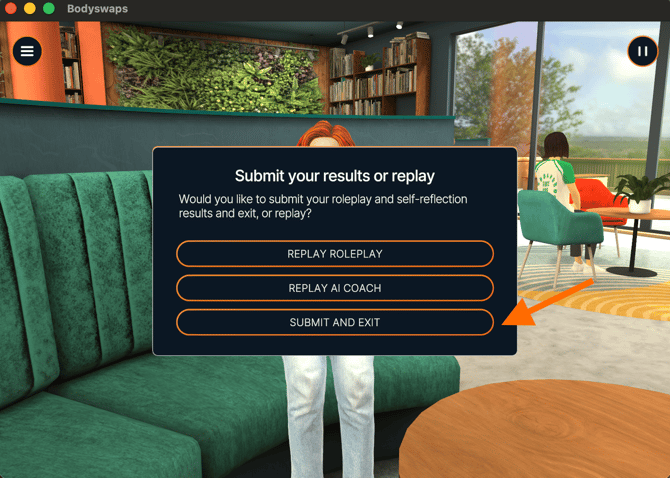
When you receive your report
You receive your learner report by email after completing an AI Roleplay interaction. Your facilitator decides which sections appear, so you may not see all of them.
What your report can include
- AI Roleplay settings — the text directions given to the AI character by the facilitator who created the roleplay.
- Feedback — your performance across assessment criteria tailored to the interaction, scored as Needs work, Good, or Excellent, with a short explanation and tips to improve. Body language and eye contact scores only appear if you completed the roleplay in VR.
- Transcript — the back-and-forth conversation between you and the AI character, shown as text bubbles.
- AI Coach transcript — the transcript of your reflection conversation with the AI Coach. For more information, see Meeting Your AI Coach.
Why you might not see every section
Your facilitator chooses which sections are visible in your report. If a section you expected isn't there, it wasn't enabled for this roleplay. Contact your facilitator if you have questions about what your report includes.
If you haven't received your report
- Check your spam or junk folder. The report is sent from admin@bodyswaps.co.
- If you still can't find it, contact your facilitator — they can look up your report in the Classes area. If your facilitator is also unable to locate it, contact admin@bodyswaps.co for further support.