
Table of Contents
- Educator Home
- Content Library
- Classes
- Insights (formerly Dashboard)
- Organisation (formerly Administration)
- Archived Users Feature
- AI Roleplay Customisation Form Improvements
Bodyswaps Go brings a refreshed layout and several renamed and reorganised areas of the platform. This article walks through what's changed and where to find things now.
Educator Home
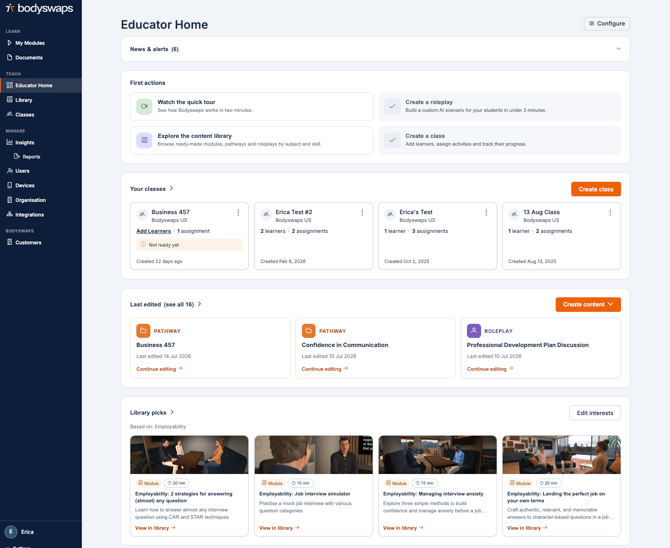
Educators now have a single overview page that brings together class summaries, suggested content, and support and instructions — all in one place.
For a full walkthrough of this page, see Educator Home.
Library
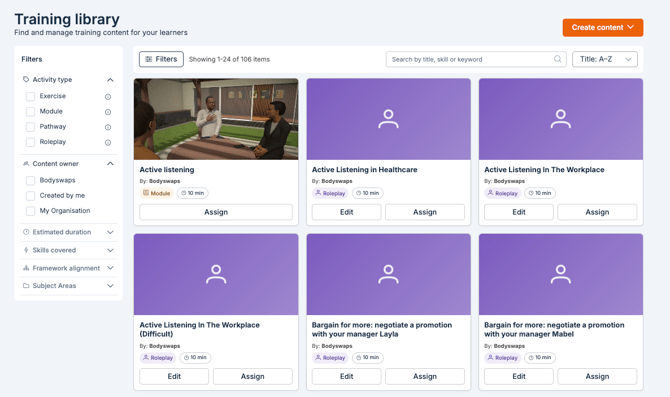
The Training Library is the new home for all content provided by Bodyswaps. From here, you can view:
- Roleplays and Pathways curated by Bodyswaps
- Content created by others at your institution
- Your own creations
From the Library, you can explore, assign, and create new units for your learners.
To create a new Pathway or Roleplay:
- From the Content Library, select Create in the top right corner.
- Choose whether you're creating a Pathway or a Roleplay.
- Follow the setup steps to build your content.
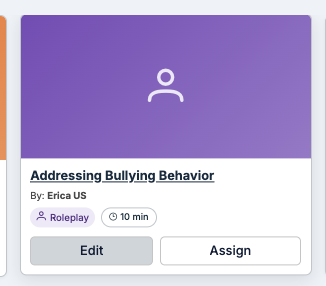
To edit an item you've created:
- Use the search bar to search by title, or
- Use the filters to filter by content created by you.
- Select the item to open it for editing.
More details about the new Training Library here.
Classes
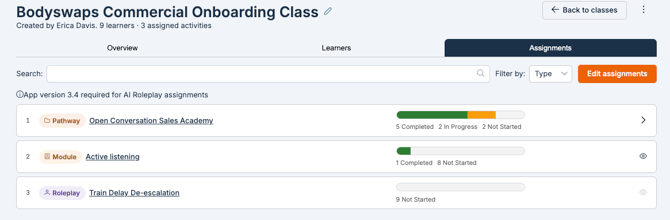
The Classes area has been revamped to make assigning content clearer.
- Assignments and user progress now live in the same area — assign content and track learner progress from one place.
- A new walkthrough guides you through class setup directly in Bodyswaps Go
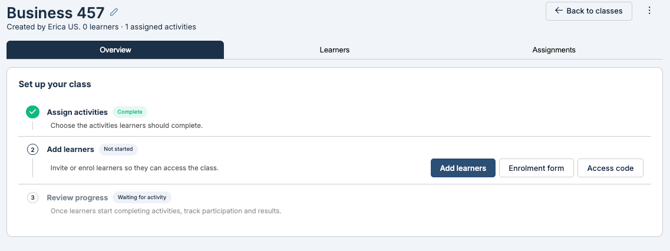
- Your self-enrollment link and class code are easy to find from the class page.
Insights (formerly Dashboard)
The Dashboard has been renamed Insights. All Insights data is powered by Reports.
To dig into your data:
- Navigate to Reports.
- Filter by date range or other criteria to narrow the data.
- Use the filtered results to identify where your students need support.
More information can be found in our Insights & Reports article.
Organisation (formerly Administration)
Administration has been renamed Organisation. Here you'll find:
- Organisation-wide settings
- Account-wide data export
- Audit logs
- The ability to enable new Beta features (including Bodyswaps Go)
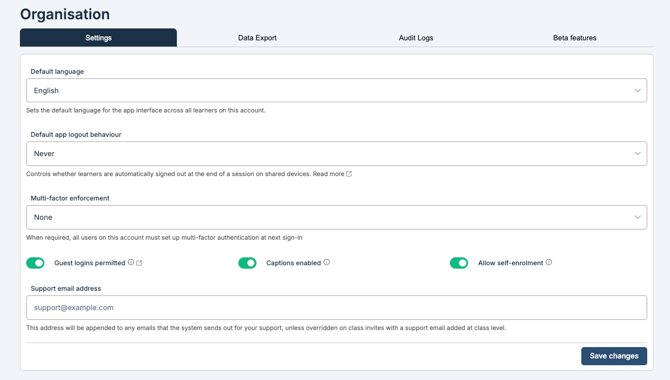
⚠️ Only users with the appropriate admin permissions can access Organisation settings and enable Beta features.
Archived Users Feature
You'll notice a few updates to the Users tab, along with the ability to archive users. Archived users can no longer access Bodyswaps Go, however, administrators can view their previous activity. These users will continue to count towards the licenses until the license refresh period.
Learn more about archiving users in our Archive Users article.
AI Roleplay Customisation Form Improvements
Roleplay Customisation form redesigned with tabs (Basic Information, Scenario, Assessment, AI Coach Debrief, Settings) for easier navigation when building an AI Roleplay.
.gif?width=583&height=583&name=Untitled%20(8.5%20x%208.5%20in).gif)
Learn more in our The New AI Roleplay Customisation Form: A Tabbed Layout