![Secondary White-Mar-14-2025-08-04-22-1173-PM.svg]](https://support.bodyswaps.co/hubfs/Secondary%20White-Mar-14-2025-08-04-22-1173-PM.svg)
Public Speaking Roleplay
- New auditorium environment — learners now practise in an updated auditorium setting with refreshed audience avatars, creating a more realistic and immersive experience
- Updated document upload process — the setup flow for uploading documents during roleplay configuration has been revised for clarity and reliability
AI Coach
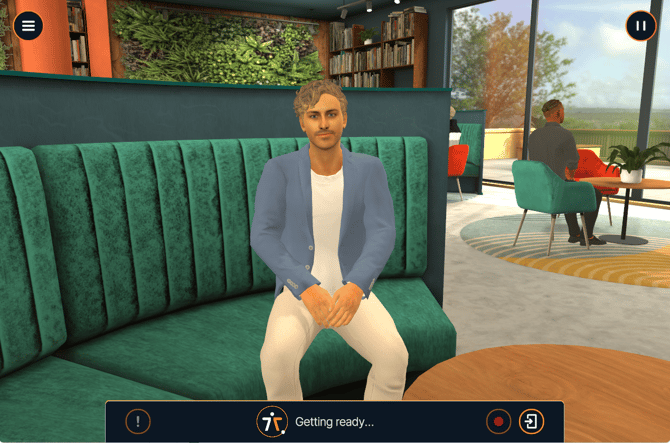
Learners can now debrief with an AI Coach immediately following a roleplay session.
The AI Coach guides learners through a structured reflection, helping them process their performance and identify areas for development.
For facilitators — updating existing customisations: If you have previously customised a roleplay and want to include AI Coach questions in the debrief:
- Navigate to your existing roleplay customisation
- Open the customisation settings
- Edit the debrief form directly to add or update AI Coach questions
- Save your changes
⚠️ Existing customisations will not automatically include AI Coach questions. You'll need to update each customisation manually if you'd like to enable this.
Additional Content & Improvements
New environments and avatars
- Dental Treatment Environment — a new clinical setting for relevant healthcare scenarios
.png?width=670&height=445&name=image%20(4).png)
- New Roleplay Avatars added across three modules:
- Active Listening in Healthcare
- De-escalation
- Open Conversations
-1.png?width=670&height=330&name=image%20(5)-1.png)
- Ability for learner to speak first in Roleplay Facilitators now have the option to let learners speak first
-
New onboarding sequence A revised onboarding flow is now live for new learners joining the platform.
Behind-the-scenes fixes This release includes stability and accuracy improvements to:
- Bodyswapping
- Questionnaire responses
- Quiz responses